Can’t find a new feature in the Admin UI?
Do NOT open a support ticket, do this instead...

Sometimes we release new features that require the addition of dedicated configuration sections in the Admin UI of your virtual sites.
Quite regularly, when we do, we receive a certain number of support tickets from customers who “can’t find” the new section in their Admin UI.
First and foremost we recommend that you check if the newly released feature is included in your license edition. Some features are license-gated and not included with all editions of our software.
What when the feature is included, and you still can’t find it where it should be, in the Admin UI of your virtual site, what should you do then?
Well, the main concept is that what an Admin can view and/or manage in the Admin UI is entirely controlled by a SuperAdmin account (who has access to the SuperAdmin UI) and is never enabled by default upon updating/upgrading the software.
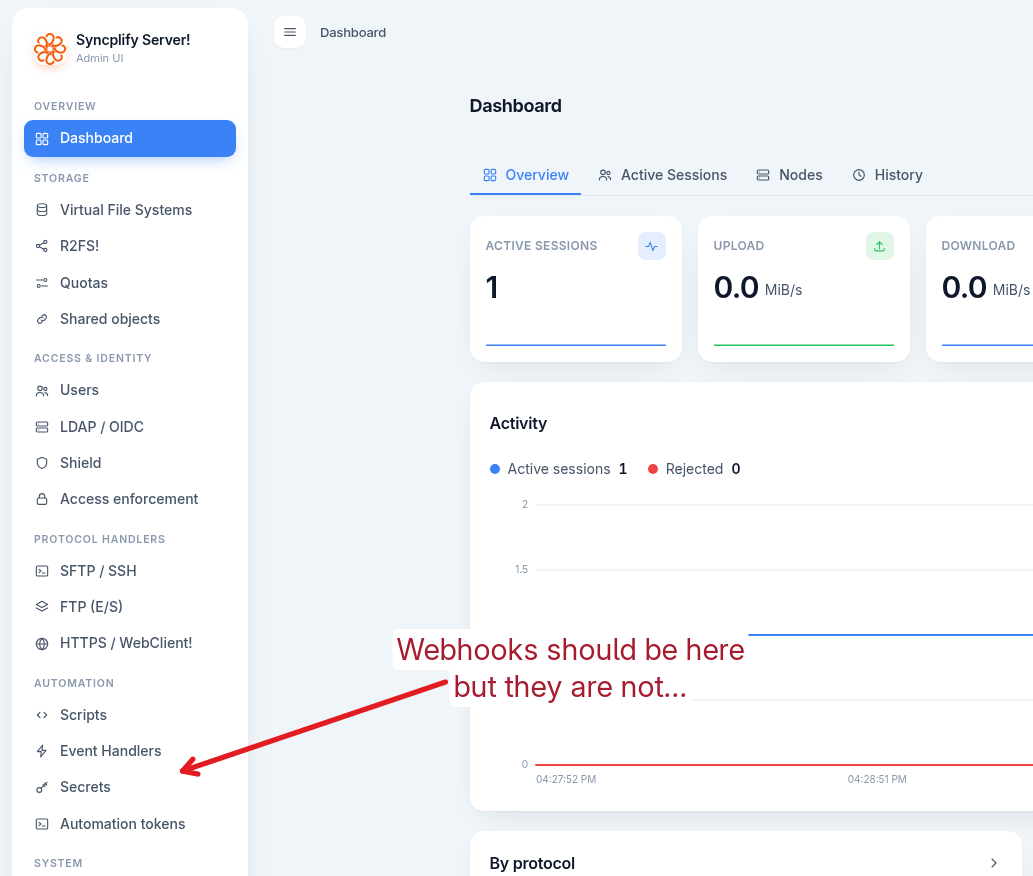
Let us give you an example. In version 8.9.0 we added Webhooks. After updating or upgrading to v8.9.0, an Admin would still not see the Webhooks section:
As an Admin you should ask your SuperAdmin to grant you the new permissions:
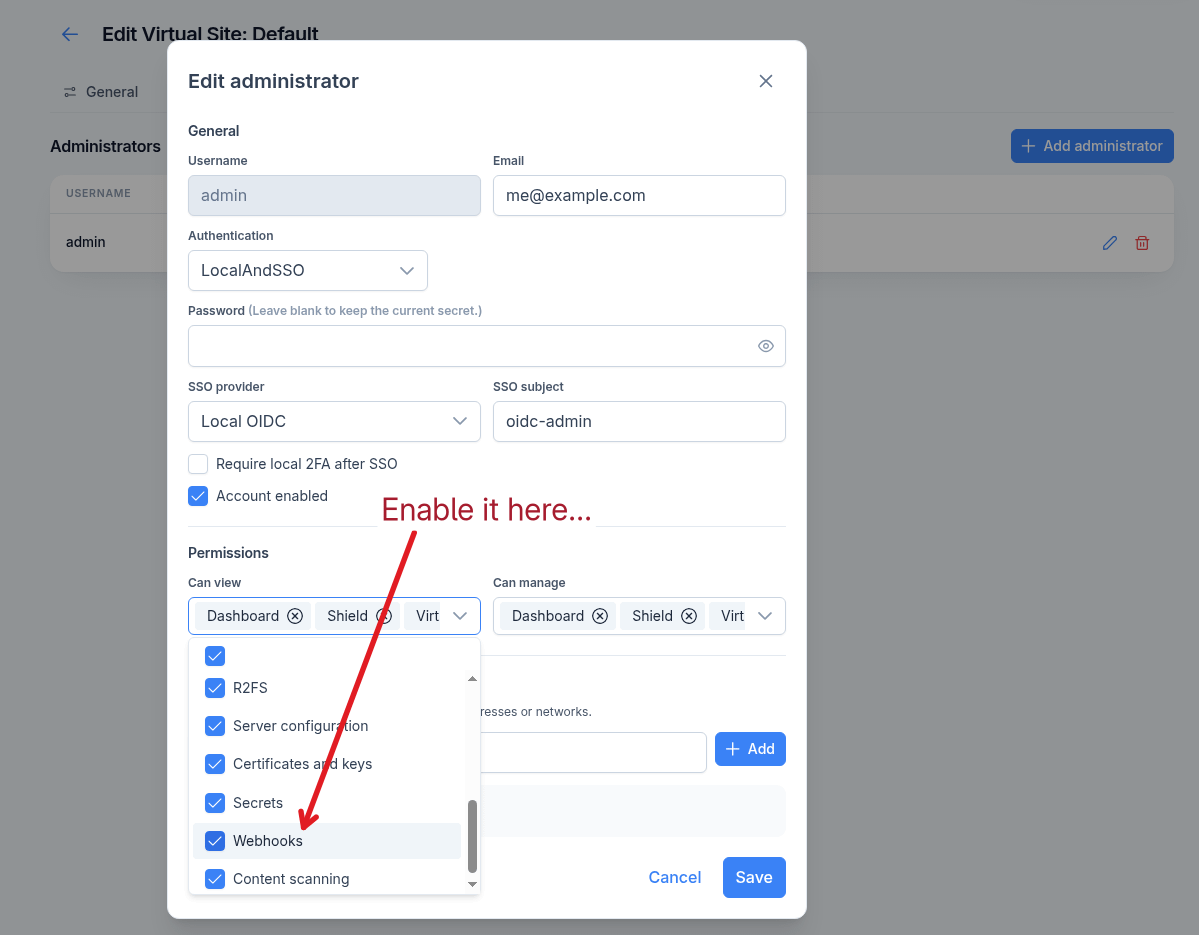
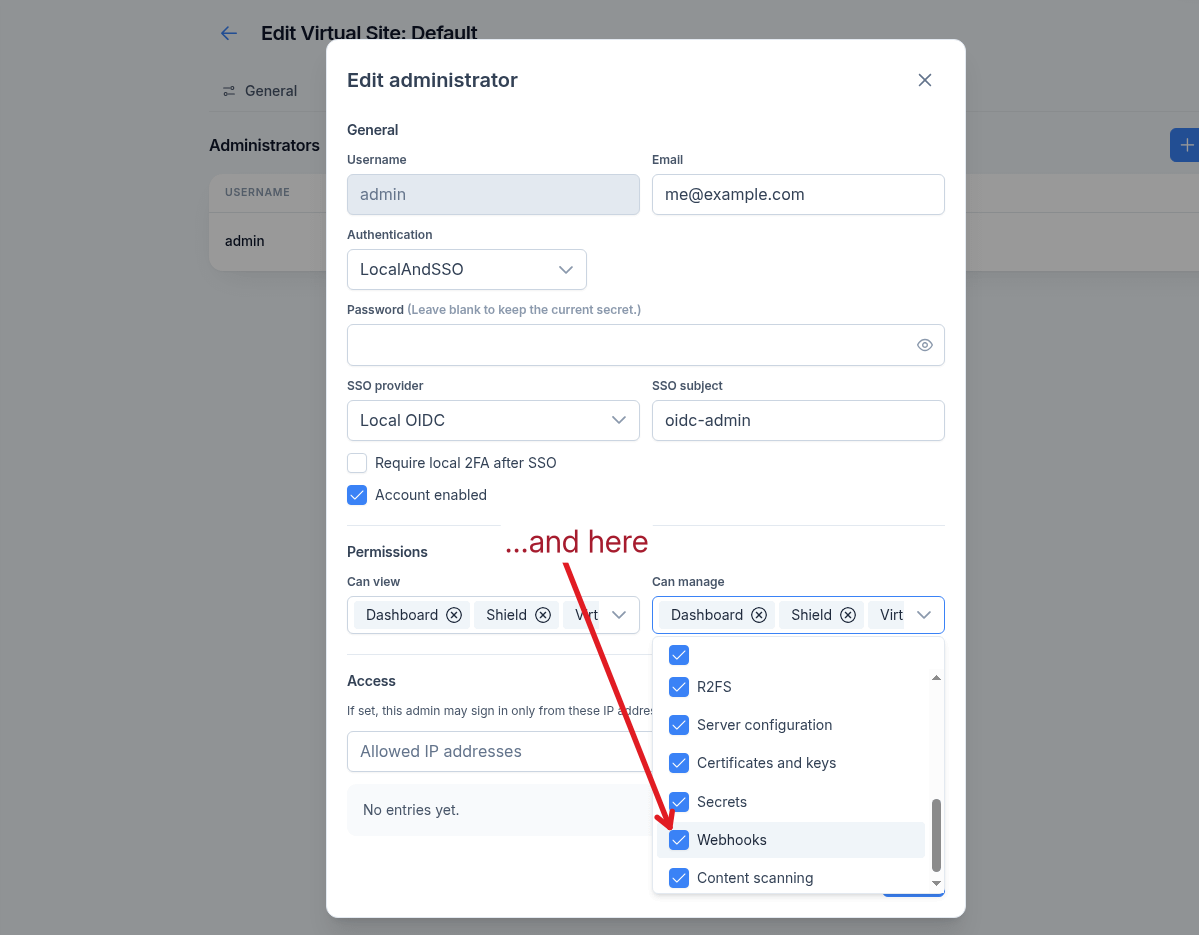
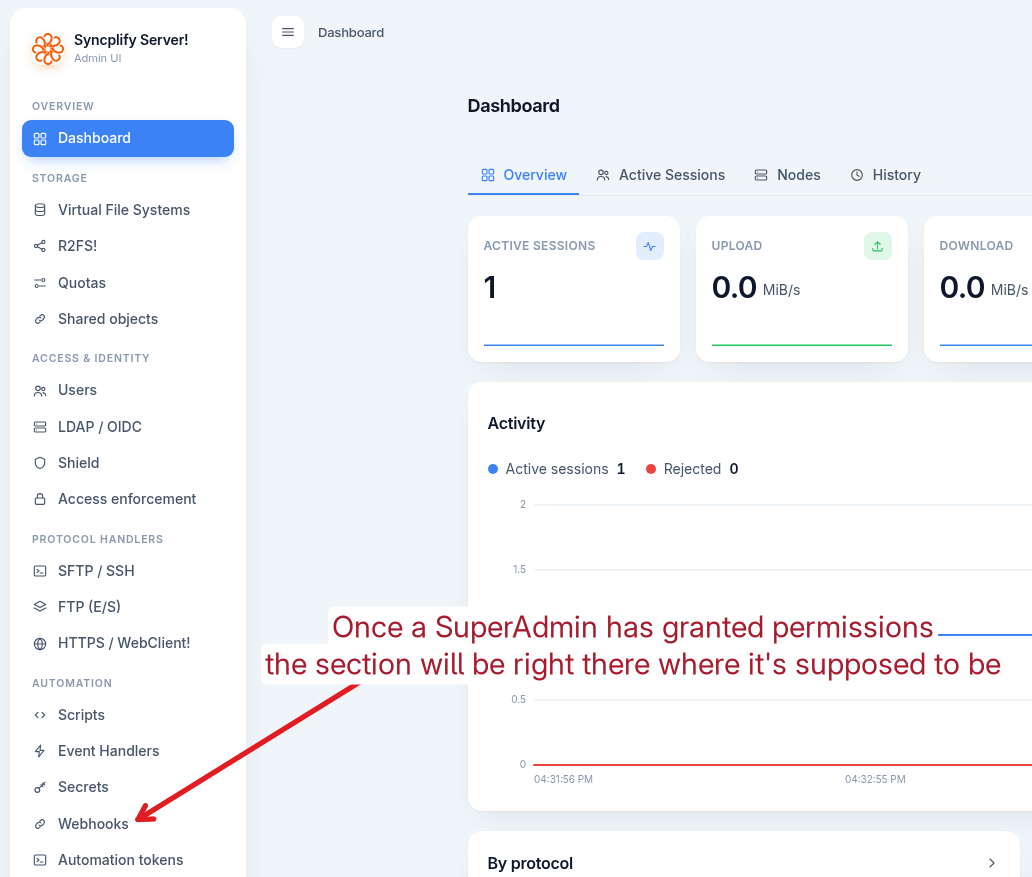
And the next time you log into the Admin UI:
So, the big question we get asked all the time is: why don’t you enable the new feature for all Admin accounts automatically when the software is updated?
The simple and honest answer: because it would violate every security principle and best practices ever written. Managing Admin account permissions is a responsibility of the SuperAdmin, we won’t violate that trust boundary, granting it or not is a SuperAdmin’s task.
Thank you all for your understanding and cooperation.