

Most of the attention around Syncplify Server! v8.0 has rightly gone to the backend: the new architecture, the performance, the storage engine improvements. Today we want to talk about something that shipped quietly alongside all of that, and that we think deserves its own moment: the Enterprise Reporting module.
It’s available exclusively with the Ultimate license tier, and if you’re running one, it’s already there waiting for you.
What it is
Sixteen built-in operational reports, accessible directly from the Admin UI. Print them, download them, export them to JSON/CSV for further analysis, or just read them on screen. Every report is generated on demand from live data, so what you see reflects the actual state of your environment at the moment you run it.
The reports span several domains, including (but not limited to) operations, compliance, and security. And more will be added in future updates.
Why it matters more than it looks
Here’s the thing about enterprise file transfer environments: they accumulate. Users get created and forgotten. Permissions get granted and never revisited. Accounts that were set up for a partner integration three years ago are still sitting there, idle, with elevated access to production directories.
Nobody meant for that to happen. It just did, incrementally, across hundreds of small decisions that were each perfectly reasonable at the time.
Compliance audits and security reviews surface these problems, but only after the fact, and usually in the most stressful possible context. Enterprise Reporting gives you the visibility to catch them on your own schedule, before anyone asks.
Just two of the many possible examples that illustrate this well.
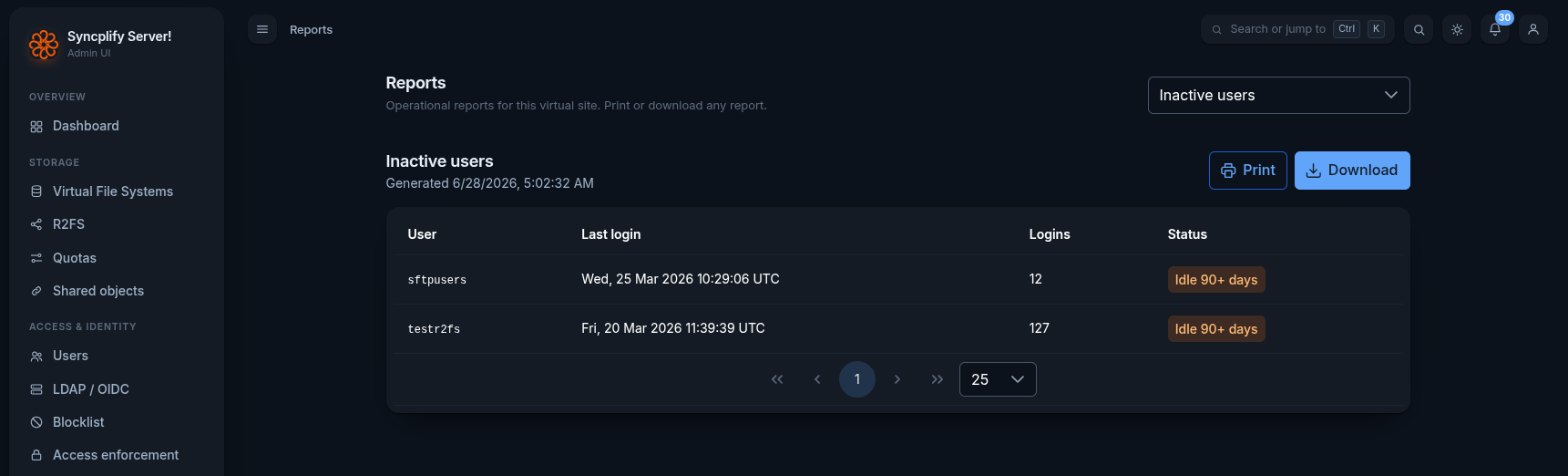
Inactive users shows every account that hasn’t logged in for 90 or more days, with a last-login timestamp and a total login count. That login count matters: an account with hundreds of historical logins that has gone silent for three months is a different conversation than a test account someone created and never used. Both are worth reviewing. Now you can see both at a glance, any time you want.
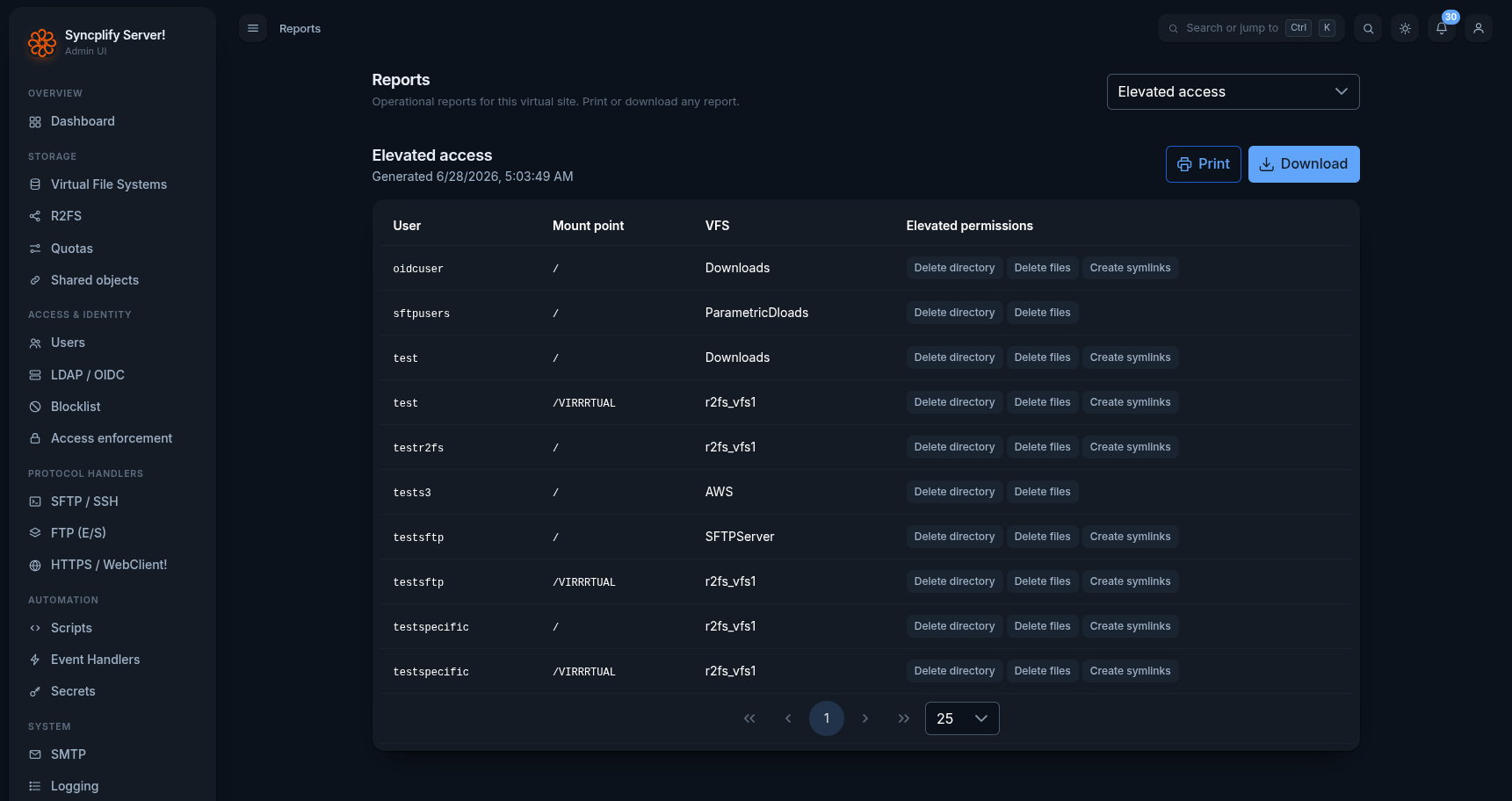
Elevated access shows which users have been granted permissions beyond the default, on which mount points, and against which Virtual File Systems. Delete directory. Delete files. Create symlinks. Each permission is listed individually per user, per path. If you’ve never run a report like this in your environment, the result may surprise you.
Not just for auditors
It’s tempting to think of compliance reporting as something you pull out when someone asks for it. A checkbox exercise.
The more useful mental model is operational hygiene. Inactive accounts expand your attack surface. Excessive permissions increase the blast radius of any compromised credential. Neither of these is a theoretical risk in environments moving sensitive business data over SFTP. Both are problems you can actually see and act on, now, without waiting for an external audit to tell you they exist.
That’s what this module is for.
All 16 reports, with more to come
The current release includes 16 built-in reports, here’s a list grouped by category.
Access & Identity
VFS by user
Users by VFS
User inventory
Authentication & MFS
Inactive users
Failed sign-ins
Elevated access
Security & Compliance
Blocklist
Certificates & keys
Security posture
Shared objects
Storage
Storage inventory
Activity
User statistics
Traffic & sessions
Unused app-passwords
Automation
Automation inventory
Future updates will add to that list. If there’s a specific report type that would be useful in your environment, reach out. We listen.