

The time has come. SFTP.cloud has entered early availability.
And the very first question we received? “Show me its WebClient”. Alright, that’s fair.
So here it is. Showing you both views of the same directory, to show off the optional thumbnails (in gallery view, cached on the browser to avoid wasting bandwidth) .

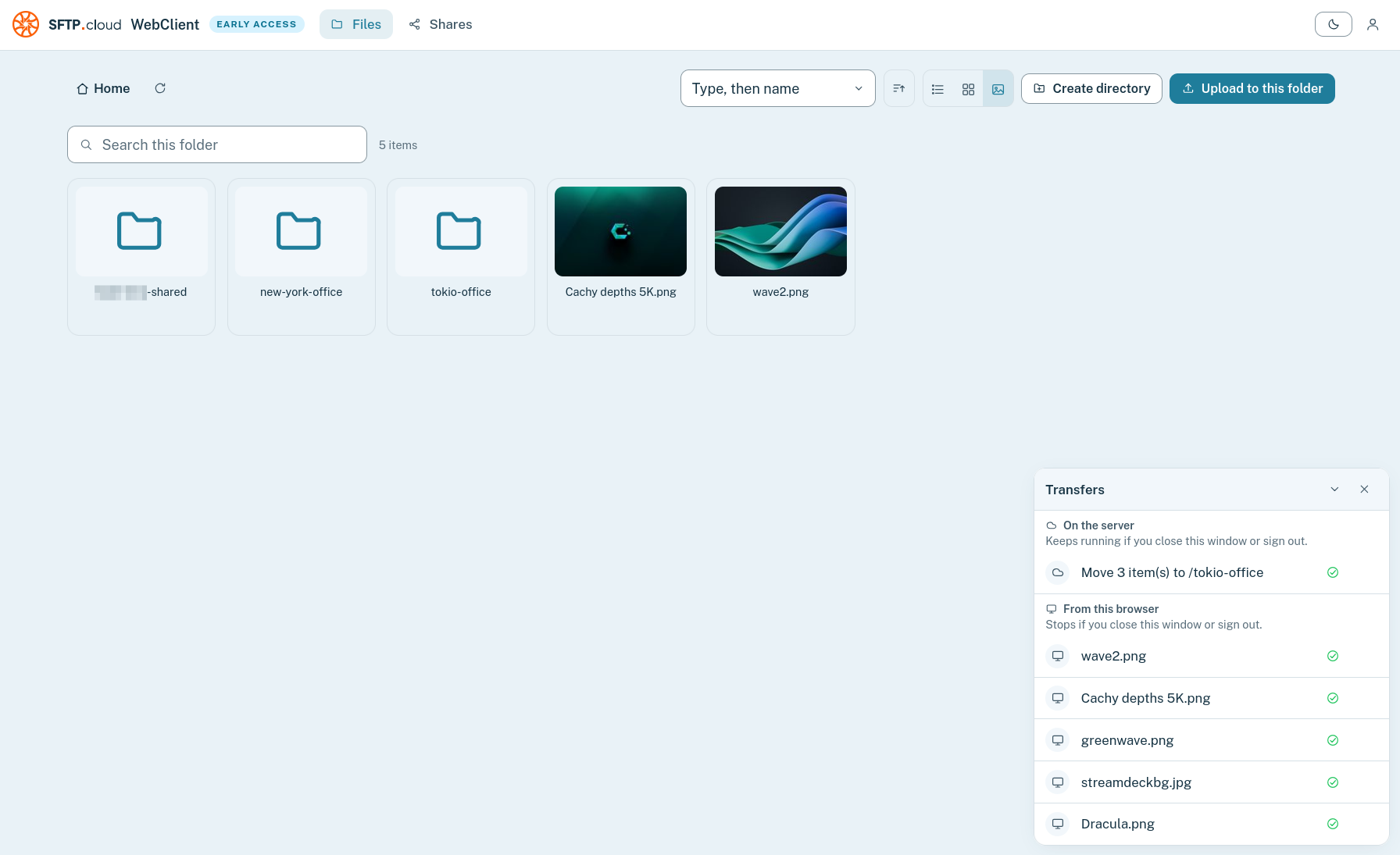
Now, the most observant among you will surely be drawn more to the bottom-right side of those screenshots, rather than the file-views.
What is the Transfers panel telling us? It’s actually telling us a very interesting story:
New file uploaded from the browser need the browser to stay open to come to completion (just like Google Drive, OneDrive, and basically every other tool of this kind when accessed via web interface)
But file copies/moves between existing locations are carried out on the server: they can be cross-VFS and even cross-Connector, and they survive if the browser tab/window is closed after initiating them
Moving on, of course no product of this kind would be complete without the (optional) ability to create “shares”, to share individual files or entire folders with external third parties in a controlled manner. So here we go:
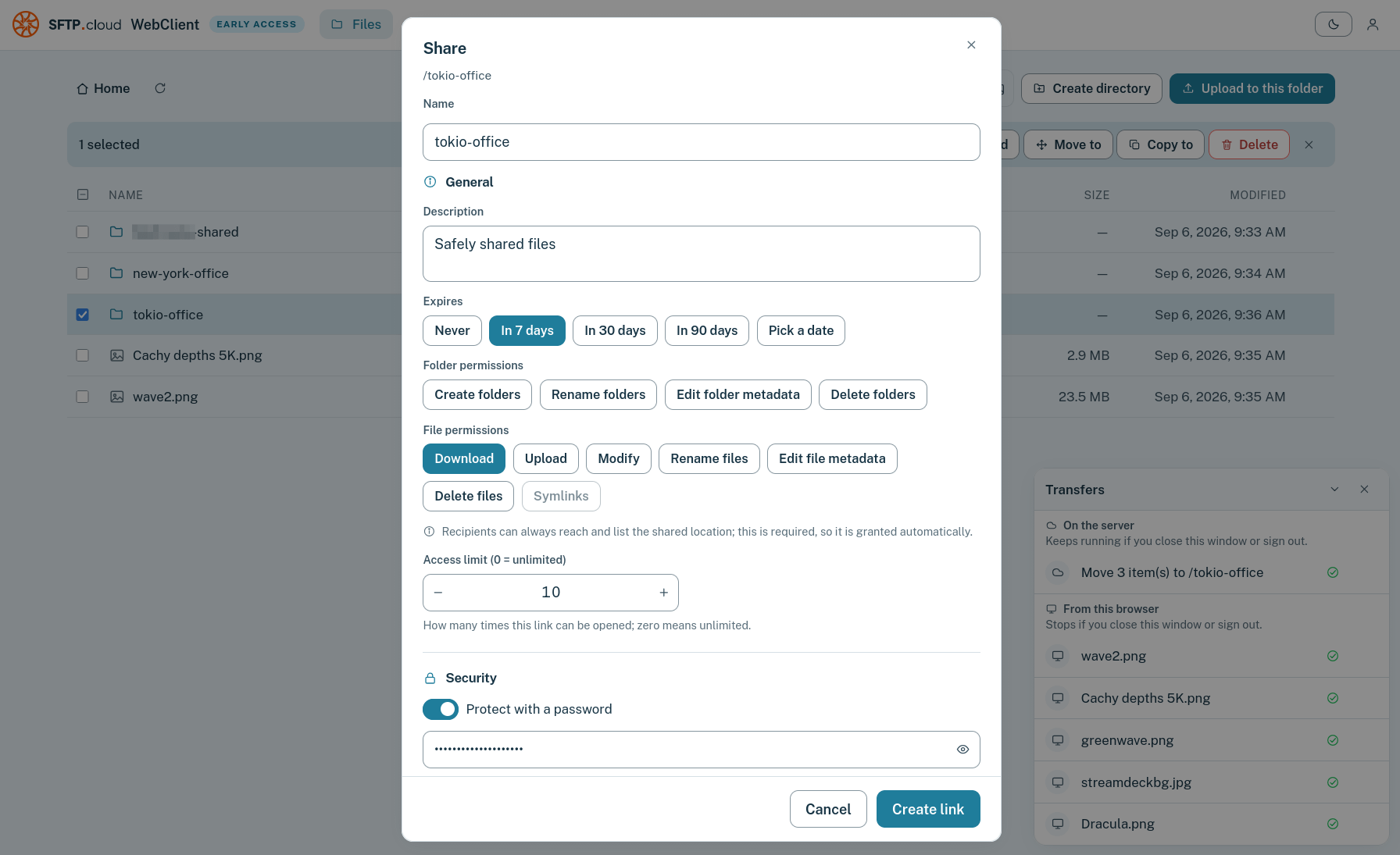
The process is guided, and the security and convenience features cover many aspects, like, for example:
Granular access controls
Password-protected access (well, duh!)
Maximum number of times the “share” can be accessed before it self-expires
IP-based allow-list (individual IP addresses and network CIDRs supported)
Anonymous sharer identity
Automatic email notification to a list of recipients
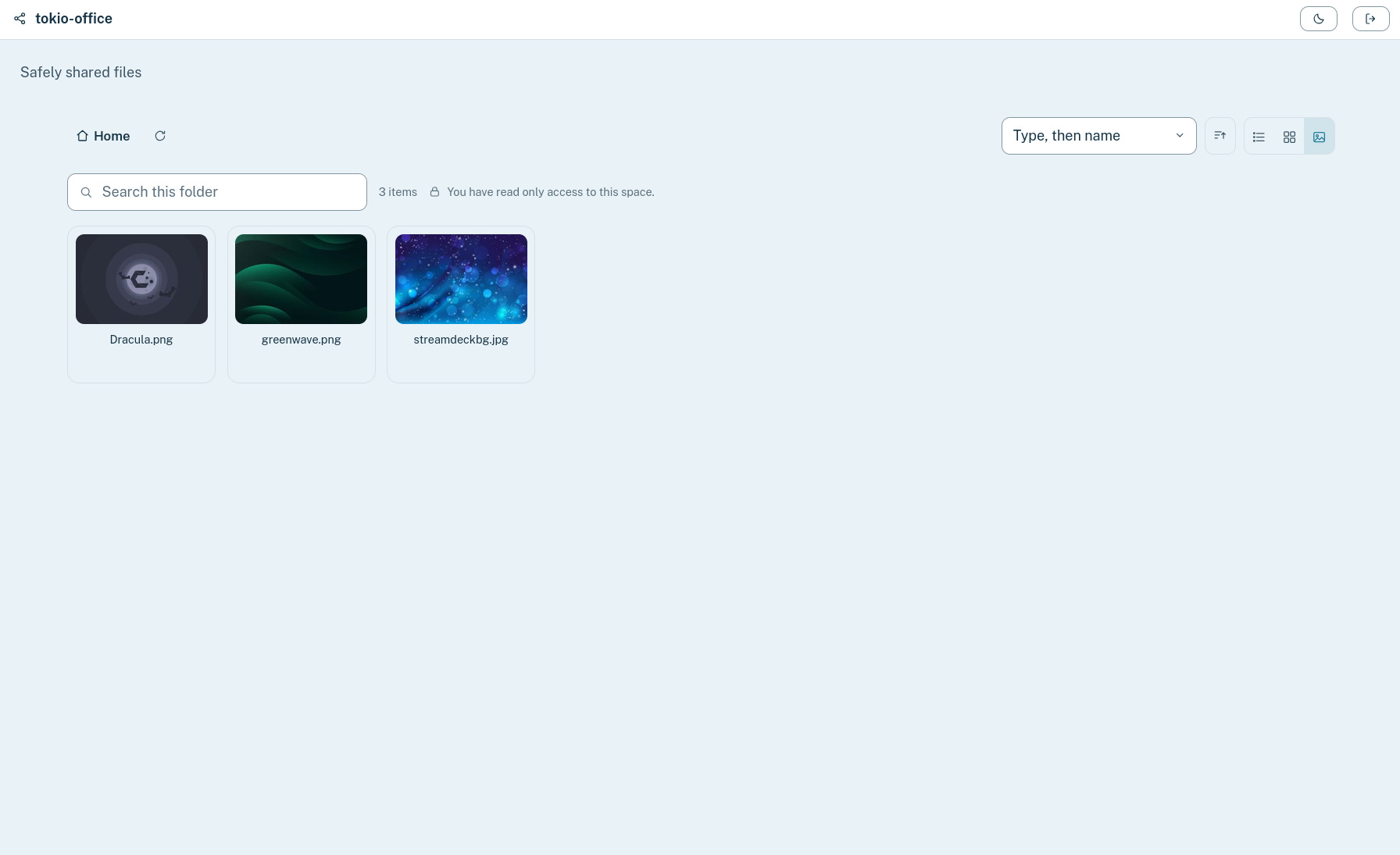
And here’s how one such recipient sees the object shared with them:
And the beauty behind all this? The physical storage behind all that was never held by SFTP.cloud in the first place!
Connect your own storage: SFTP.cloud will never hold a copy of your files
Encrypt it with your own keys: SFTP.cloud will never have them
Safely and securely share whatever you want with whomever you want: SFTP.cloud is just your quantum-secure protocol-head in the cloud
More to come, soon.